Japanese vocabulary, throughout your day

Learn Japanese,
one word at a time.

Build your JLPT N5 vocabulary with short daily sessions, spaced repetition, pronunciation, and words that stay with you throughout the day.

For iPhone · No account required
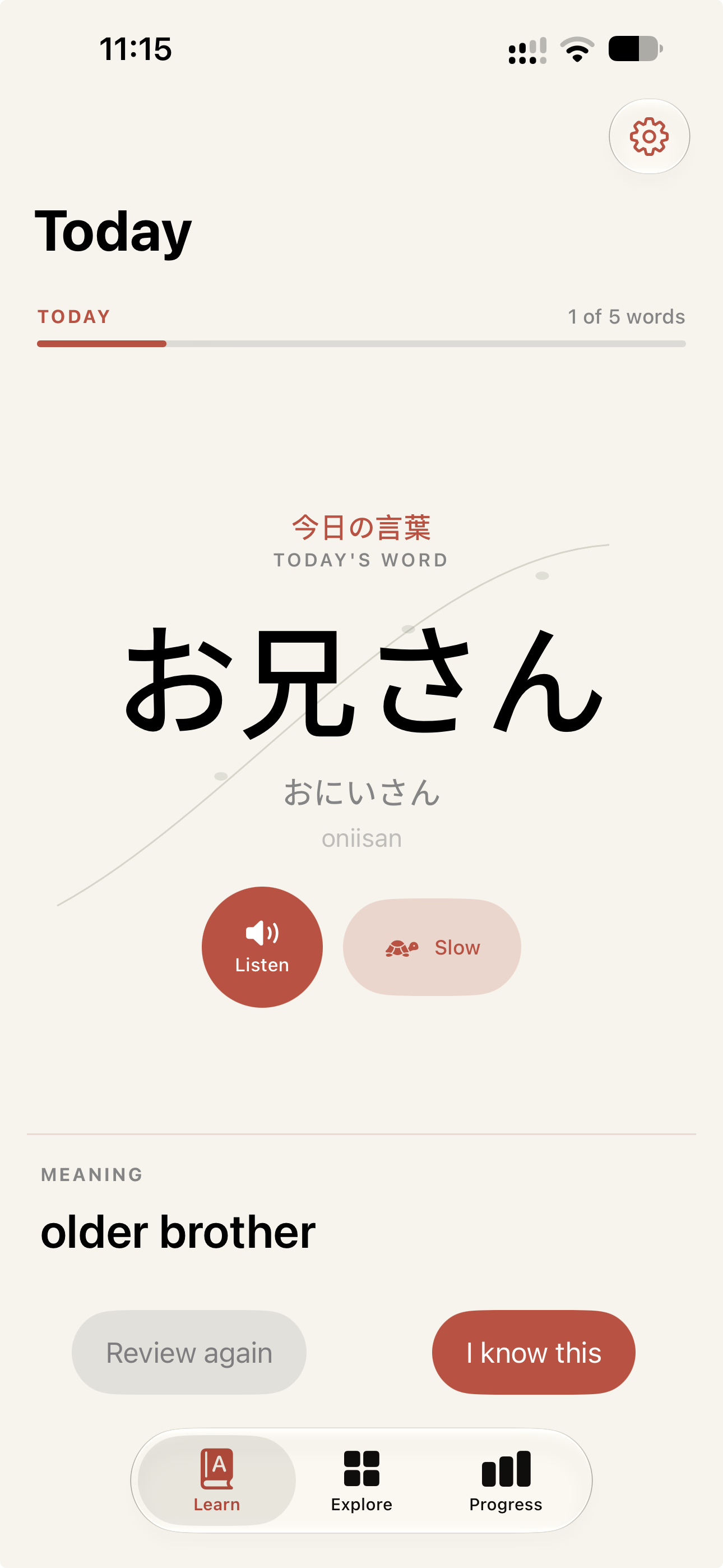
Yomirika Learn screen showing the Japanese word お兄さん, its reading, pronunciation controls, meaning, and review choices.

A simple rhythm

A little Japanese every day.

01

Learn

Pick up a few new Japanese words in a short daily session.

02

Review

Yomirika brings words back with spaced repetition so they stay familiar over time.

03

Keep seeing Japanese

Put vocabulary on your Home Screen or Lock Screen and keep Japanese around you throughout the day.

The daily queue

A short session is enough to keep moving.

Each word brings its expression, reading, romaji and English meaning into one calm place. Listen at the speed that helps, then choose whether to review it again or move on.

01

Hear it your way
Normal and slow pronunciation, right when you need it.

02

Make a clear choice
Review again or I know this—then let spaced repetition take care of the return.

A word in focus

食べる

たべる · taberu

to eat

↺ Review againI know this

A word becomes easier to remember when you can hear it clearly.

Pronunciation

Hear how it sounds.

Listen to Japanese system pronunciation at normal speed, or slow it down when you want to hear the word more clearly. Yomirika uses Apple’s native speech synthesis.

YOMIRIKA · TODAY見るみる · to see
Yomirika書くかく · to write

Widgets

Japanese at a glance.

Keep the word you’re learning on your Home Screen or Lock Screen. See the expression, reading and meaning without opening the app.

Free: small Home Screen widget
Pro: additional Home Screen and Lock Screen widget formats

Widgets are read-only and open Yomirika when tapped.

A focused starting point

Start with the essentials.

Yomirika includes a focused collection of 624 vocabulary entries classified as JLPT N5, with readings, meanings, pronunciation and learning progress.

624
N5 vocabulary entries

The classification is independent and third-party; it is not an official JLPT vocabulary list.

Yomirika Pro

Take your vocabulary further.

Free includes the first 50 words and the complete learning loop. Pro opens the complete N5 collection and more ways to keep Japanese visible.

More words. More places.

  • Full JLPT N5 vocabulary
  • Learn from your Lock Screen
  • All widget sizes
View plans in the appSubscription options and current prices are shown in the app.

Local-first learning

Your learning stays yours.

On your device

Learning progress is stored locally. There is no Yomirika account or cloud progress backend.

No advertising

Yomirika does not include advertising SDKs.

Purposeful data

Vocabulary content is not sent to analytics. Read how product analytics and purchases work in our Privacy Policy.

Questions, answered

FAQ

The small details of learning, widgets and subscriptions.

What is Yomirika?
Yomirika is an iPhone app for learning Japanese vocabulary through short daily sessions, spaced repetition, pronunciation and widgets.
Is Yomirika free?
Yes. Free users can learn the first 50 N5 words with the full learning loop, spaced repetition, pronunciation, slow playback, reminders, Explore, Progress and a small Home Screen widget.
What does Yomirika Pro include?
Pro unlocks all 624 N5 vocabulary entries, the medium Home Screen widget, and Lock Screen widget formats. Current plans and prices are shown in the app.
How many words are included?
Yomirika includes 624 production vocabulary entries classified as JLPT N5. Free includes the first 50.
What is JLPT N5?
N5 is commonly described as the introductory level associated with the Japanese-Language Proficiency Test. Yomirika uses an independent, third-party vocabulary classification associated with this level.
Is Yomirika an official JLPT app?
No. JLPT is a name associated with the Japanese-Language Proficiency Test. Yomirika is independent and is not affiliated with or endorsed by the organizations administering the JLPT.
Can I learn from the Lock Screen?
Yes. Lock Screen widget formats are available with Yomirika Pro. Widgets show vocabulary at a glance and open the app when tapped.
Does Yomirika teach grammar?
Yomirika currently focuses on vocabulary; it is not a full grammar course.
Does pronunciation work offline?
Yomirika uses Apple system speech synthesis. Availability can depend on the Japanese voice installed on your device and iOS settings.
How do reminders work?
Learning reminders are local notifications scheduled by iOS. You choose them in the app and can change notification permissions in iPhone Settings.
How do I contact support?
Visit our Support page for help and contact details.

Begin where you are

Keep Japanese close.

A few words today. A few more tomorrow.

Download on the App StoreThe App Store link will be added before launch.